How secure is your Active Directory environment really? Which permissions have accumulated over the years? And how do you identify critical dependencies that are barely visible in classic administration tools?
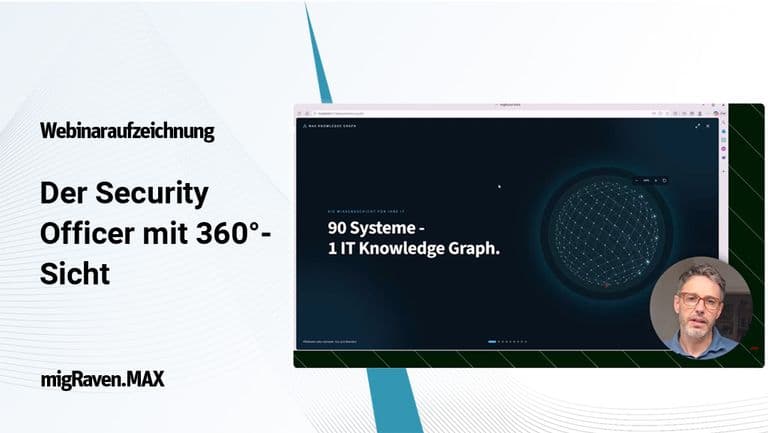
In the webinar on October 13, 2026, Thomas Gomell, CEO & CTO of migRaven GmbH, showed how migRaven.MAX consolidates information from Active Directory, Entra ID, and other IT systems and evaluates it using Knowledge Graph and AI. The focus was on concrete security questions, traceable analyses, and the controlled clean-up of identified risks.
Webinar recording: Assessing and hardening Active Directory & Entra ID
Watch the recording to see how you can examine complex permission structures, systematically assess security risks, and develop concrete measures to harden your environment with AI support.
Why AD Clean-up is more than removing old accounts
Active Directory has grown over the years. New users, groups, applications, and permissions are added, while old structures often remain in place. Nested groups, delegated rights, and the connection to Entra ID create complex dependencies.
This can entail significant security risks. In the worst case, a single compromised user account is enough to gain far-reaching access, up to and including administrative rights, via existing permission paths.
An effective AD Clean-up therefore does not begin with deleting supposedly unnecessary objects, but with understanding the actual permission structures.
The decisive question is: Who can access what today – and through which direct or indirect permissions?
Knowledge Graph and AI: making relationships visible
Individual systems and administration tools usually only provide fragments of reality. migRaven.MAX consolidates information on identities, groups, permissions, policies, and applications in a shared Knowledge Graph. This makes it possible to examine dependencies across systems and trace even complex permission paths.
Max AI adds an intelligent analysis layer to this data basis. Instead of manually gathering numerous individual pieces of information, administrators can ask concrete questions about their environment.
Typical questions for Max AI
- Which accounts hold administrative permissions, directly or indirectly?
- Where are there conspicuous group nestings or unnecessary access rights?
- Which configurations should be reviewed from a security perspective?
- Which measures make sense, and which dependencies need to be considered beforehand?
The AI helps to classify findings, derive priorities, and develop concrete recommendations for action. Reviewing and approving changes remains the responsibility of the administrators in charge.
A real-world case: the AI discovers a long-forgotten domain controller
An example from our own production IT environment shows how powerful this approach can be. The starting point was a simple security question to Max AI:
"Am I protected against NTLM relay and Kerberoasting? What should be configured?"
The AI then evaluated, among other things, group policies, service accounts, certificate services, and existing event data. Alongside various security-relevant checkpoints, it came across an unexpected finding: a domain controller decommissioned years earlier was still referenced in security-relevant configurations.
Among other things, an active service account still had ten delegation targets as well as a Service Principal Name referring to the former server. Corresponding references were also found in the Active Directory Certificate Services.
From finding to verifiable measure
The AI helped analyze these relationships, prepare suitable checks, and develop concrete PowerShell scripts. The administration reviewed the results and carried out the necessary steps in a controlled manner.
In the subsequent verification, the outdated delegation targets were no longer present. Further references remained documented as open checkpoints.
The example shows how a general security question can turn into a concrete, previously unknown need for action – and how AI supports the path from finding to verifiable measure.
The complete, anonymized security report, including the technical analysis and PowerShell scripts, can be found in the webinar downloads.
Security is not a one-time clean-up project
An AD Clean-up can reduce accumulated security risks. However, a one-time clean-up is not enough to permanently maintain the achieved state. New employees, role changes, applications, and organizational changes continuously lead to new accounts and permissions.
That is why the webinar also shows the path from a one-time analysis to a continuous governance process:
Understand → Assess → Clean up → Operate → Reassess
This makes it possible to track changes, regularly review permissions, and identify new legacy issues as early as possible.
What you take away from the webinar
- Why an effective AD Clean-up begins with understanding the actual permission structures – not with deleting
- How a Knowledge Graph makes direct and indirect permission paths visible across Active Directory, Entra ID, and other systems
- Which security questions you can ask Max AI directly about your own environment
- How a general security question turns into a concrete, previously unknown need for action
- Why reviewing and approving changes remains the responsibility of the administrators in charge
- How a one-time clean-up becomes a continuous governance process
How transparent are your permission structures?
What risks could be hidden behind grown AD configurations? And what contribution can Knowledge Graph and AI make to master these challenges with less manual effort?
In a personal presentation, we show how migRaven.MAX analyzes your Active Directory and Entra ID environment and how concrete hardening measures emerge from this.