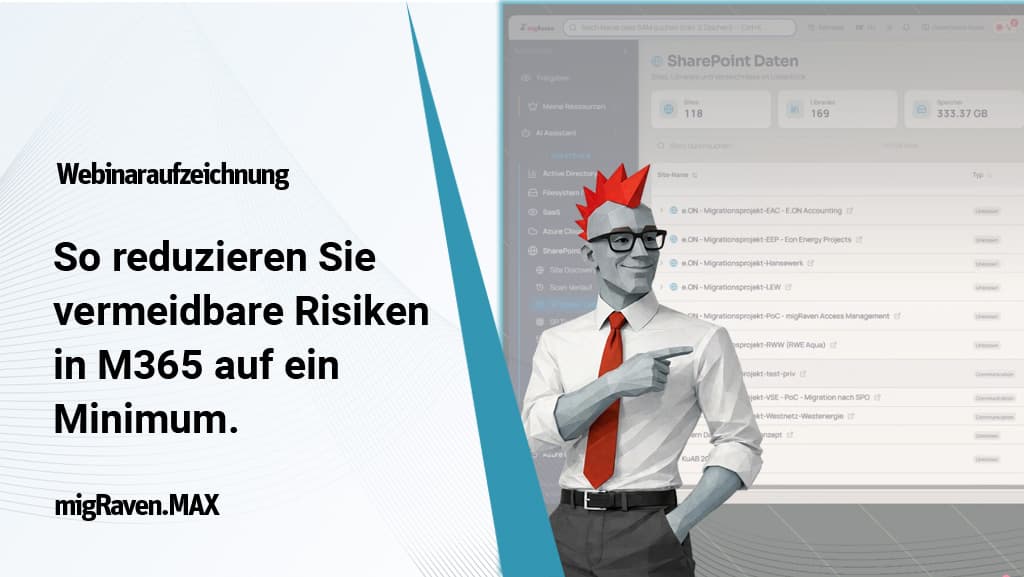
Webinar recording of 07.05.2026
M365, Entra ID and Active Directory: why hybrid IT structures create new security risks
Many companies today work in two worlds at the same time: the classic Active Directory remains the central basis for identities, groups and permissions. At the same time, Microsoft 365, Entra ID, Teams and SharePoint continuously generate new structures, shares, guest accounts and external access paths.
This is exactly where a dangerous blind spot arises: while users and groups are often synchronized from the local AD to the cloud, much of the information generated in the cloud does not flow back. As a result, Teams, SharePoint sites, guest access, sharing links or license assignments often develop independently of the original permission concept.
The result is two separate data worlds, each of which only knows part of the truth. This makes it increasingly difficult for IT departments to answer who actually has access to which data, why a permission exists and whether it is still needed.
Watch the webinar recording of 07.05.2026 now:
Chapter overview
Collaboration makes work easier – but security more complex
Microsoft 365 depends on users being able to collaborate quickly. Files are shared, external partners are invited, new teams are created and documents are stored in SharePoint. What makes sense from a business perspective, however, technically creates ever more identities, links and permission paths.
External identities are particularly critical. In many companies, the number of external guest accounts significantly exceeds the number of internal users. If external shares remain in place even though the internal employee has left the company or the project was completed long ago, a real security risk arises.
However, restrictions that are too strict do not solve the problem. Users always find ways to share information. Anyone who merely prohibits collaboration promotes shadow IT. What matters is therefore not blanket blocking, but transparency: IT must be able to identify which shares, guests, teams, SharePoint structures and SaaS applications are actually being used.
Why cloud migration alone does not eliminate data chaos
Many companies migrate to the cloud in the hope of leaving old file server problems behind. In practice, however, the existing chaos is often merely relocated or even duplicated. Alongside the file server that has grown over time, a second data silo that is hard to keep track of emerges in Microsoft 365.
Without a prior clean-up, old data, unclear responsibilities and historically grown permissions remain in place. They are now simply also located in new systems, with new sharing mechanisms and new external access options.
The webinar therefore shows clearly: anyone who wants to implement cloud, IAM or governance successfully must first understand which structures, identities, groups, data and rights actually exist.
The Knowledge Graph as the key to real transparency
Classic databases and standard reports quickly reach their limits in hybrid IT landscapes. This is because permissions do not arise in isolation, but through relationships: users are members of groups, groups are nested, teams are tied to Entra groups, SharePoint shares point to external identities and file server permissions have often existed for years.
For this, migRaven.MAX uses a Knowledge Graph based on Neo4j. Information from Active Directory, Entra ID, Teams, SharePoint, file servers, audit logs and other sources is not only collected, but also linked with one another.
This turns individual technical data into real infrastructure knowledge. IT can not only see that a user has a permission, but also trace the path by which it came about, which systems are involved and whether it creates a risk.
Clean up first, then automate
One key insight from the webinar is: automation does not solve a structural problem if the starting point is not right. A chaotic Active Directory, orphaned guest accounts, unclear group structures and uncontrolled shares do not automatically improve through an IAM system. They are merely managed faster.
That is why clean-up comes before automation. Orphaned accounts, obsolete data, permissions that are no longer needed and unclear responsibilities must be made visible and eliminated step by step.
An important building block here is the ownership principle: every relevant object needs an owner. This applies to groups, user accounts, service accounts, directories, shares and external guests. Only when it is clear who is responsible from a business perspective can permissions be reviewed, confirmed or revoked in a meaningful way.
AI with infrastructure context instead of generic answers
Another focus of the webinar is the use of AI in IT administration. The decisive factor here is the difference between generic AI and an AI that can access the actual infrastructure context.
migRaven.MAX combines AI with the Knowledge Graph. This enables the AI assistant to answer questions about the real environment, prioritize security risks, assess GPOs, prepare audit reports or create migration plans. The answers are not based on assumptions, but on the linked data from your own IT infrastructure.
At the same time, data sovereignty is retained: the infrastructure data remains in the customer environment. For AI queries, only the information required in each case is processed. Use takes place via GDPR-compliant enterprise AI services in Europe; customer data is not used to train public models.
Conclusion: security comes from transparency and responsibility
The webinar makes it clear: the greatest risks in modern Microsoft 365 and hybrid environments do not arise from individual tools, but from a lack of overall context. Active Directory, Entra ID, Teams, SharePoint, file servers and SaaS applications must be considered together.
Security does not come from prohibitions alone. It comes from radical transparency, traceable permission paths, clear responsibilities and continuous control.
Anyone who understands their hybrid IT infrastructure can reduce risks in a targeted way, control external access, clean up permissions and place IAM processes on a sound foundation. This is exactly where migRaven.MAX comes in: as a platform that makes identities, permissions, data and infrastructure relationships visible – and derives concrete options for action from them.
FAQ: risks in Microsoft 365, Entra ID and hybrid IT structures
The biggest problem is the missing overall context. Many identities and groups are still created in the local Active Directory and synchronized to Entra ID. At the same time, new teams, SharePoint structures, shares, guest accounts and license assignments are created in Microsoft 365 that are not fully mirrored back into the AD. This results in two separate data worlds. IT can no longer see at a glance who has access to which data and why – and whether a permission is intended, has grown historically or is risky.
External guests are often necessary for collaboration with partners, service providers or customers. It becomes critical when these accounts and shares remain in place after the end of a project or when no internal owner is known any more. migRaven.MAX makes external identities, shares and access paths visible and links them to internal responsibilities. Sponsor and recertification processes make it possible to check regularly whether external access is still needed – or whether it should be revoked safely.
migRaven.MAX brings together information from Active Directory, Entra ID, Teams, SharePoint, file servers, audit logs and other sources in a Knowledge Graph. This makes connections visible that remain hidden in individual admin consoles or tables. IT can trace which users, groups, teams, shares and data are connected with one another – and where security or compliance risks arise from this.
Permissions are rarely granted directly. They often run via nested groups, synchronized identities, cloud groups, teams, SharePoint sites or external shares. A classic tabular analysis shows these relationships only to a limited extent. A Knowledge Graph maps the connections between objects directly. This makes it possible to see not only that a user has access, but also the path by which this access came about.
The infrastructure data is not transferred to an AI in full. The Knowledge Graph remains in the customer environment. For AI-supported analyses, only the information required for the specific request is processed. When using Azure OpenAI in a European region, customer data is not used to train public models. In this way, migRaven.MAX combines AI support with a privacy-oriented architectural approach.
migRaven.MAX is typically installed at the customer's site and reads in the existing systems via connectors. Depending on the size of the environment, initial analysis results can become visible after a short time. A proof of concept is often possible within a few days. The specific effort depends on which systems are to be connected – for example Active Directory, Entra ID, Teams, SharePoint or file servers.