Anyone managing user accounts knows the pattern: a new colleague's onboarding is triggered by a ticket, a department transfer by email, and the offboarding is eventually noticed by someone. Between these events, group memberships, licenses, Teams roles and file server permissions accumulate that no one can trace back anymore.
The real problem here does not lie in a single system, but in their sum: almost every company today operates a hybrid landscape consisting of a local Active Directory and file servers, Entra ID with Microsoft 365, Teams and SharePoint in the cloud, as well as a growing number of SaaS applications with their own user management. Each of these worlds has its own console, its own permissions model and its own administrator. An offboarding that is cleanly completed in Active Directory may be only half done in Entra ID and may not have reached the SaaS applications at all.
migRaven.MAX now consolidates the events of the account lifecycle into five lifecycle process templates that handle all three worlds in a single workflow. What is new here is less the automation itself than the way it is reined in: every process shows in advance what it will do, runs through a central action queue with a four-eyes principle, and leaves behind a complete history. An integrated AI accompanies this workflow as a buddy — it is present at every station, helps where people tend to be careless from experience, and checks along before anything goes into approval.
What used to apply
In most companies, the account lifecycle is not a process but a habit. The joiner is set up based on a colleague's example, with all the groups that colleague has accumulated over the years. The mover keeps their old permissions because no one knows which of them are still needed. The leaver is deactivated, but their mailbox groups, Teams ownerships, licenses and file server shares remain. Scripts help in isolated cases but rarely document why they did something. Anyone who later stands before an auditor finds an action log without justification, or a justification without action.
In hybrid environments, this pattern intensifies. The on-premises world with Active Directory, file servers and DFS is managed by one team, Entra ID and Microsoft 365 by another, and the SaaS applications by the business departments that introduced them. Entra Connect synchronization synchronizes the account, but not the Teams ownerships, licenses, SharePoint shares, or the links in third-party applications. As a result, a leaver is typically offboarded three times, or once and then forgotten. No one can answer the question "Does this person still have access anywhere?" without sending a mass email.

Five process templates for the entire lifecycle
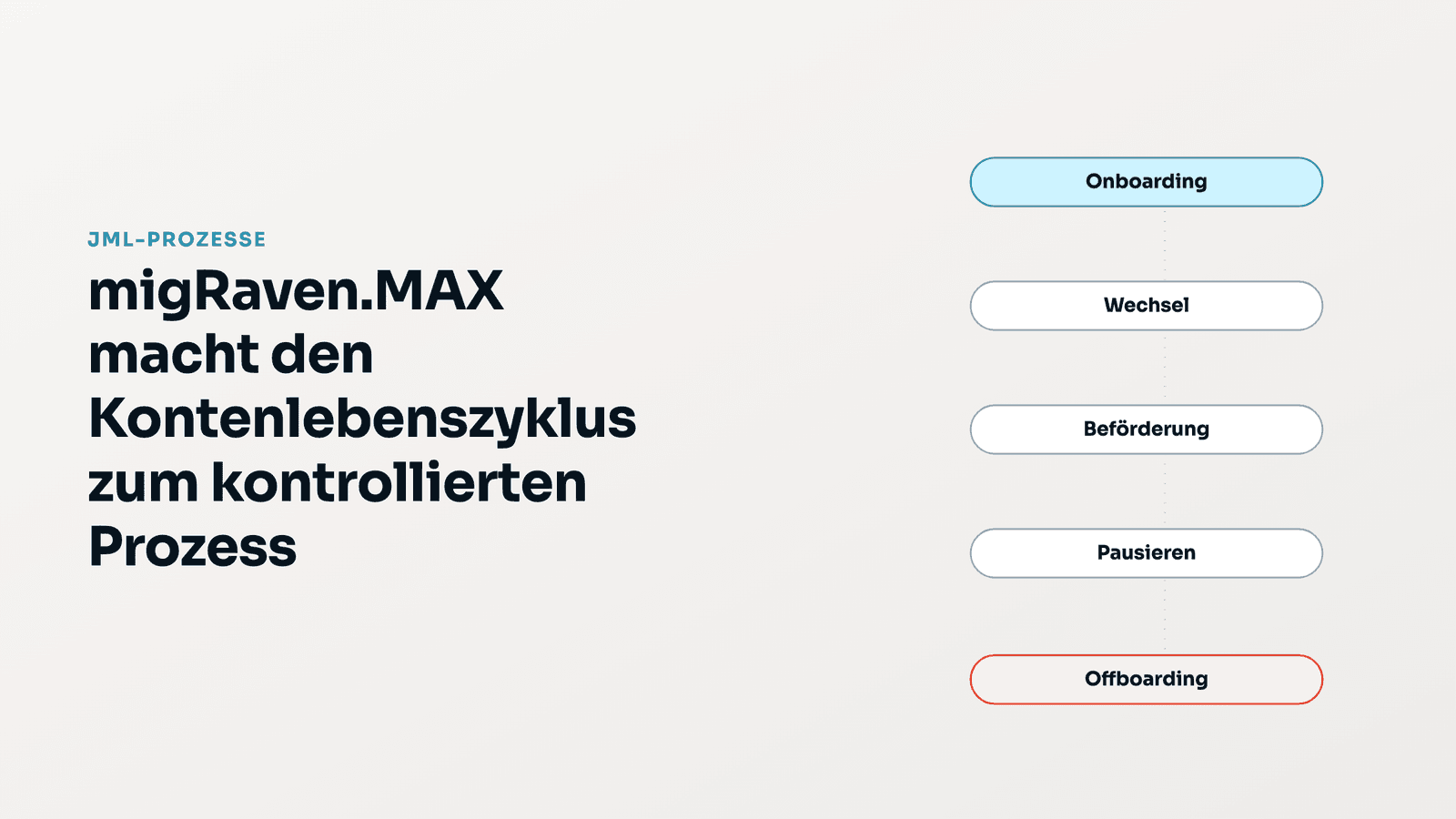
The "JML processes" page consolidates the account lifecycle into five templates. Each describes which steps are due in which systems, whether they run on a schedule or immediately, and how long old permissions may remain in effect afterward:
- Onboarding — The user is immediately created as a deactivated account and only activated on the start date; persona, profiles and base groups are applied on that date.
- Transfer — Role, department or location change: new permissions are granted immediately, old permissions no longer needed are revoked after a grace period of 14 days.
- Promotion — Special case of a transfer: new privileged access always goes through four-eyes approval, old permissions expire more generously after 30 days.
- Pause — Temporarily deactivate an account, for example during parental leave or a sabbatical; optionally, all permissions can also be revoked.
- Offboarding — Scheduled departure: deactivate the account, move it to the offboarding OU, revoke groups, licenses, mailbox and M365 groups, Teams roles, SharePoint shares, file server permissions and SaaS links.
Together, the five templates cover 23 steps across eight target systems: Active Directory (9 steps), Entra ID (3), Microsoft 365 (3), SharePoint/Teams (1), file server (2), SaaS (2), migRaven's own lifecycle profiles (2) and MAX itself (1). All templates run on a schedule by default — without a date, the execution time is set one day in the future; immediate execution is a deliberate exception. Permission revocations are only possible as an allow list for offboarding and pause-with-revocation; a transfer can structurally never result in full revocation.
Before starting, a preview shows the planned steps per system — for offboarding, including the guest accounts for which the departing person is the sponsor: without a named successor, these sponsorships are terminated, and guest accounts without a remaining sponsor are deactivated in the same process. For persona and profile changes, a WhatIf dialog is mandatory, showing direct and indirect effects separated into "in" and "out", including the file server consequences via group memberships.

The AI as buddy: always present, always checking
A buddy is the colleague sitting next to you: they know the ropes, explain what just went wrong, read along before something goes out, and speak up when a justification does not hold. This is exactly the role the AI plays in migRaven.MAX. It does not position itself where it would make the biggest impression, but where processes fail in practice: missing justifications, incomprehensible error messages, and the question of where in the product one actually needs to go.
- Audit-ready justification. Every process start and every persona or profile change requires a justification. The AI checks it for quality and suggests wording, but follows a strict rule: it only justifies the why, never the what, and it never invents a ticket, policy or risk. If no reason can be derived from the input, it responds with "missing reason" instead of a plausible-sounding phrase.
- Plain-language error analysis. If a step fails, the business department does not see an LDAP error number, but the cause, impact and next steps in plain language, along with a recommendation on whether a retry makes sense. 43 normalized error classes are defined for this purpose; for protected AD system objects, it explicitly states: do not retry, an approval does not lift the system protection.
- Navigation and context. The MAX assistant answers questions such as "How do I start an offboarding with succession for guest accounts?" from a curated help knowledge graph and leads directly to the correct page. Every account in the process assistant is an entry point into the chat, bound to the unique object ID, not to a name.
- Advisory. In advisory mode, MAX recommends the rollout order and justifies it with confirmed findings from its own directory: first stabilize offboarding, then standardize user creation, and finally automate role changes.
- Summary. In user management, the AI creates a compact account essay from the account details, including the next review steps for administrators.
What the AI is not permitted to do is equally precisely defined: it never changes anything directly in the directory, does not carry out a password reset via the assistant, and cannot trigger execution without a queue and approval. Even where the assistant is allowed to act on request — for example, deactivating an account or changing a group membership — this does not result in a direct change, but rather in an approval-required task in the same queue with a 30-second cancellation window. Bulk deactivations are limited to 200 accounts per call and are logged with a shared justification. A password reset is not possible via the assistant at all; it refers to the account page, where the one-time password is only handed over after a confirmed reset and via the protected delivery channel.
At a glance
- Hybrid — one process across on-premises (Active Directory, file server), cloud (Entra ID, Microsoft 365, Teams, SharePoint), and SaaS applications; no switching consoles, no mass email.
- Five process templates — onboarding, transfer, promotion, pause, offboarding; 23 steps across eight target systems; the default is scheduled.
- Central action queue with 102 action types, agents, and the four-eyes principle; privileged groups are identified by their security identifier and cannot bypass approval even without a named owner.
- AI as a buddy, which helps and reviews but never executes itself: reviewing and suggesting justifications (15 to 300 characters, without fabricated reasons), 43 error classes in plain language, help knowledge graph with navigation, advisory interview, account summary.
- Persona compliance checks at selectable intervals between 15 minutes and 24 hours; grace periods can be traced in the time travel feature.