Solution · Migration
Plan migrations soundly, implement them securely, and protect ongoing operations.
With migRaven.MAX, you migrate data and permissions to new systems or to the cloud in a controlled manner. You identify risks and dependencies in advance, clean up legacy data, and preserve important links.
Make data migratable
Identify and eliminate problems in advance
Reduce costs permanently
Reduce data volume – save on migration and operation
Plan migration reliably
Involve data owners and manage the project centrally
Continue working securely
Correct access rights and repair internal links
What slows down migrations and endangers operations
Data not migration-ready.
Paths that are too long, unsuitable file types, and exceeded capacity limits can prevent transfer. Structures that have grown over time must first be prepared for the target environment.Legacy data drives up costs.
Unused data increases migration effort and continues to occupy storage afterward. Without clean-up, costs remain unnecessarily high even after the move.Missing decisions slow things down.
Without involved data owners, it remains unclear which data should be migrated, archived, or deleted. Unclear responsibilities and uncoordinated tasks complicate planning.Unclear rights pose risks.
Access rights that have grown over time must be reviewed and adjusted for the target environment. Otherwise, unnecessary permissions and existing security issues can be carried over.Changed paths jeopardize workflows.
New storage locations can break internal links and file access for applications. Documents no longer work as expected; operational disruptions and costly rework are likely.How your migration becomes manageable
Migration with migRaven.MAX: planning, decisions, and execution run on a single platform – from the initial analysis to the repaired links in the target environment.
All stakeholders on the same page
Admins, project management, and business units coordinate tasks and deadlines centrally – from planning to acceptance.
Decide where the expertise lies
Max AI explains findings and provides recommendations. Data owners decide for themselves what is migrated, archived, or deleted.
Only what is relevant moves
Only business-relevant data is transferred; legacy data can be deleted or archived.
Links remain usable
The system detects internal links and repairs them after the transfer.
Five steps to a controlled migration
Data owners and central project management support the entire process.
Analyze file servers
Analyze data, AD and directory structures, and permissions. Identify outdated data, technical migration obstacles, and dependencies – as a solid foundation for planning.
Sustainable clean-up
Decide together with the data owners which data is still needed. Specifically separate, archive, or delete legacy data – thereby reducing migration scope and ongoing storage costs.
Design target structure
Plan a clear target structure for data and permissions together with the business departments. Flat directories, clear responsibilities, and appropriate access rights lay the foundation for future collaboration.
Migrate data in a controlled manner
Transfer the approved data to the new target structure on a scheduled basis and in packages. Coordinate tasks and deadlines centrally and implement the intended permissions in the target.
Repair internal links
After the transfer, adjust internal links to the changed storage locations. This keeps linked documents usable even after migration.
Max AI supports project planning and the decisions of the business departments.
AI support for project management and business departments
Max AI supports planning, prepares decisions, and guides business departments through their migration project.
Support project planning
Support project planning
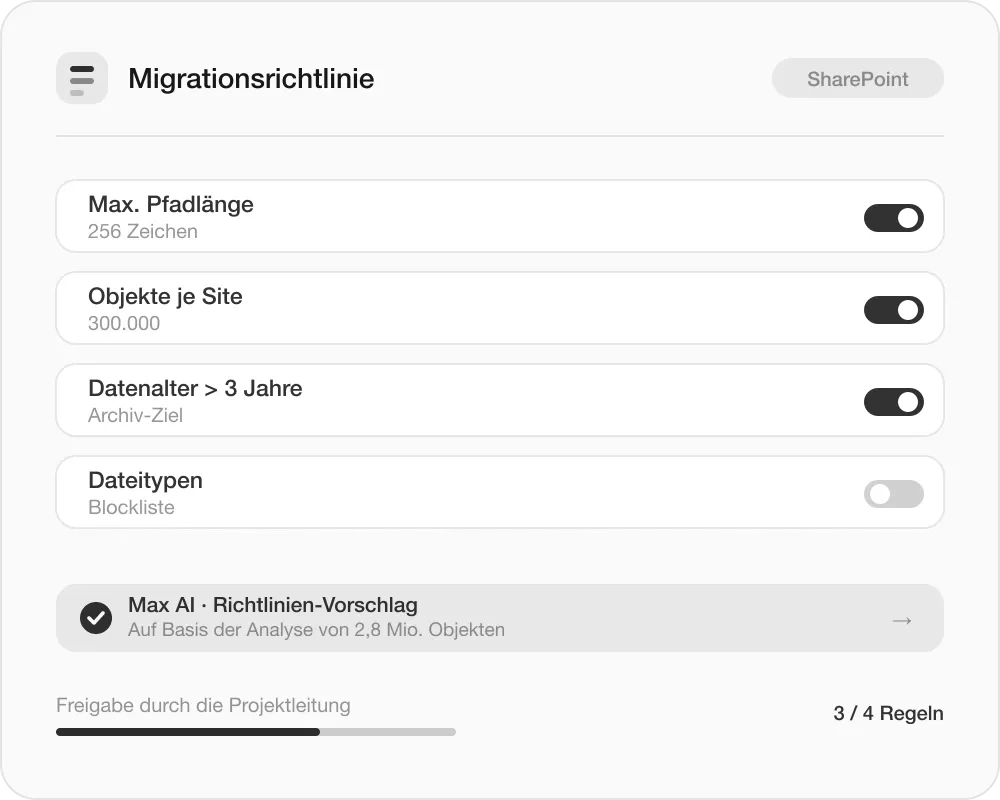
Max AI helps with the design and setup of migration policies. Project management defines the conditions under which data is migrated.
Prepare decisions
Prepare decisions
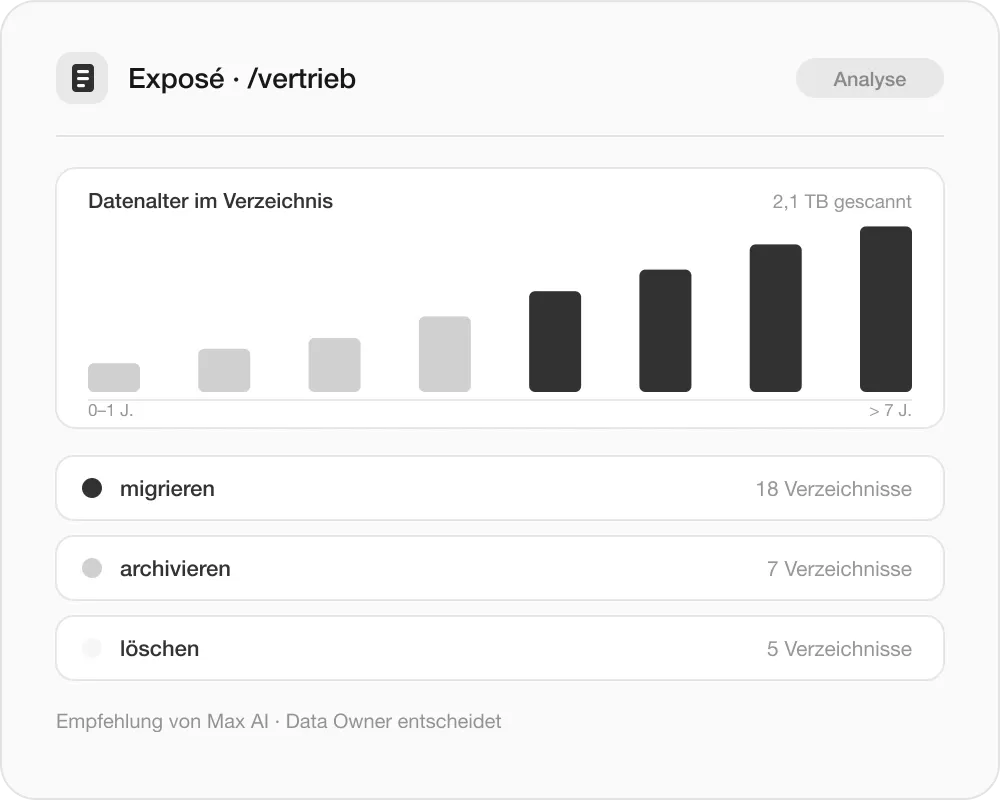
Data owners receive exposés with analyses and recommendations for action. This enables them to make well-founded decisions about which data is migrated, archived, or deleted.
Guide business departments
Guide business departments
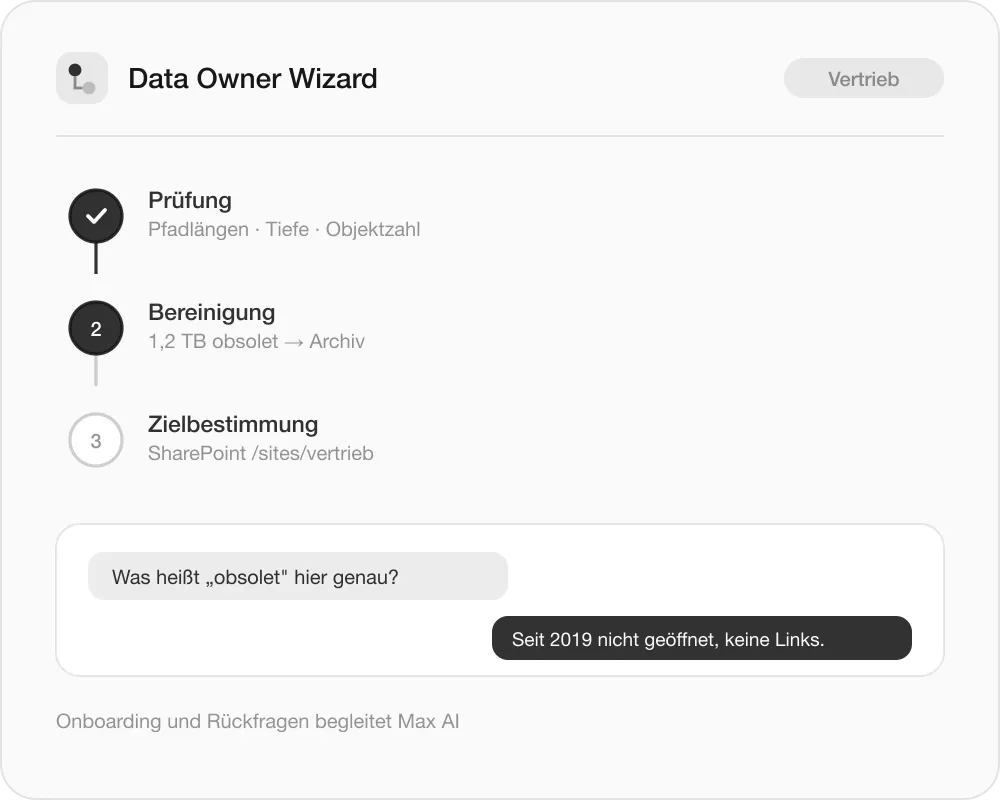
Max AI supports onboarding, explains technical findings, and answers questions in natural language. The Data Owner Wizard guides users through review, clean-up, and target determination.
From lift & shift to a controlled migration
Both approaches get the data to the target – only one does not bring the legacy burden along.
1:1 transfer without clean-up
Legacy burdens are carried over
Unnecessary migration and storage costs
Existing permission issues remain
Broken links and manual rework are likely
Migration with migRaven.MAX
Migrate only the data that is needed
Reduce data volume and follow-up costs
Review and clean up permissions
Automatically repair internal links
Data · Permissions · Dependencies
Whoever keeps an eye on these three levels during migration makes better decisions – and carries the results into ongoing operations.
- Better decisions
- Lower costs
- Reduced risk
- Sustainable compliance
- Satisfied business departments
Typical migration scenarios – clearly solved
File servers to Microsoft 365 or SharePoint.
Migrate to SharePoint and OneDrive in a structured, cleaned-up way with repaired links.Storage optimization and archiving.
Reduce, streamline, and archive data – for more performance and lower costs.Server relocations and consolidations.
Consolidate systems, rescue data, and reduce risks – with every infrastructure change.Frequently asked questions
to migration
Quick answers to the most important questions. Anything still open is clarified directly by ourteam– without detours.
Get in touch