Solution · Security & Risk Management
Identify, assess, and reduce security risks.
Gewachsene Strukturen in Active Directory, Azure und auf Fileservern machen es schwer zu erkennen, welche Konten, Gruppen, Berechtigungen und Zugriffspfade tatsächlich kritisch sind. migRaven MAX analysiert diese Zusammenhänge systemübergreifend, priorisiert Risiken und macht Veränderungen nachvollziehbar.
Identify risks
Make privileged accounts, critical groups, and paths visible
Prioritize risks
Examine risk drivers and high-risk structures first
Understand causes
Combine changes, activities, and permission paths
Monitor risks
Detect new or recurring anomalies early
Gewachsene IT-Strukturen machen Risiken schwer erkennbar
Privileges are distributed across many levels.
Direct memberships only show part of the picture. Nested groups and indirect paths can create far-reaching access.Critical groups are not obvious.
An inconspicuous group can be particularly relevant due to its position in many permission paths.The current state does not explain the cause.
For an assessment, it must be traceable when a critical constellation arose and who was affected.Behavior is missing as context.
Structure alone does not show whether a risk is currently conspicuous. Rule hits, login patterns, and events provide additional context.Risks arise again.
New memberships, account activities, and configuration changes can alter a cleaned-up state at any time.Analyze security risks in context
Structural risks, changes, and activities come together in migRaven.MAX — for a well-founded assessment rather than a snapshot.
Identify structural risks
Analyze privileged accounts, admin and high-risk groups, cycles, as well as direct and indirect permission paths.
Trace critical changes
Historical history and change analysis show when permission structures changed and which accounts were affected.
Investigate conspicuous activities
Use rule hits, login patterns, dormant accounts, and Windows system events as additional context for the assessment.
Continuously monitor risks
Audit monitoring and alerting make new or recurring anomalies visible early.
From finding to controlled security measure
MAX schafft die Entscheidungsgrundlage. Änderungen an produktiven Identitäts-, Berechtigungs- und Zugriffsstrukturen erfolgen kontrolliert durch die zuständigen IT- und Security-Verantwortlichen.
Detect
Privilegierte Konten, kritische Gruppen, auffällige Berechtigungen und riskante Zugriffsstrukturen identifizieren.
Prioritize
Risikotreiber sowie besonders relevante Identitäten, Gruppen, Berechtigungen und Ressourcen zuerst untersuchen.
Understand
Berechtigungs- und Zugriffspfade, historische Veränderungen, Aktivitäten und Systemereignisse im Zusammenhang nachvollziehen.
Assess & Act
Entscheiden, welche Zugriffe, Gruppenmitgliedschaften, Berechtigungen oder Strukturen angepasst werden müssen.
Monitor
Neue Veränderungen, Regeltreffer, auffällige Aktivitäten und wiederkehrende Risiken kontinuierlich erkennen.
Every step remains traceable — from the initial finding to approval.
Understand complex findings faster
Max AI helps to classify analysis results, metrics, and risk drivers in an understandable way.
Explain analysis results
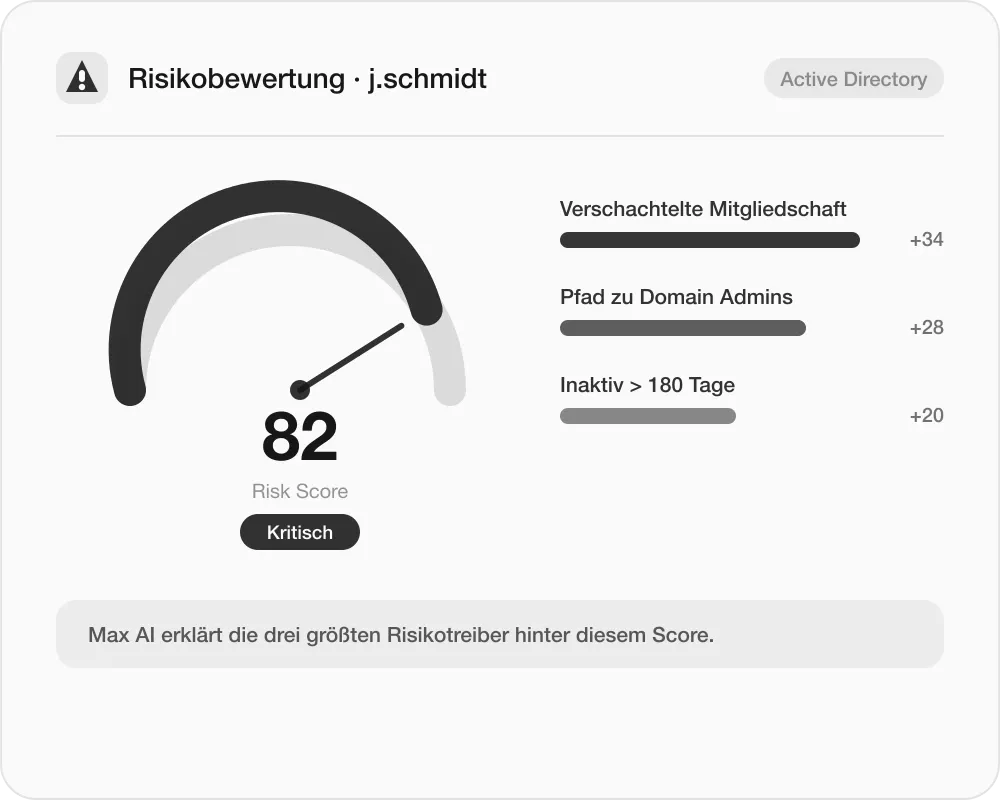
Explain analysis results
Why is an object rated as critical? Max AI explains metrics, risk drivers, and analysis results in an understandable way.
Contextualize relationships
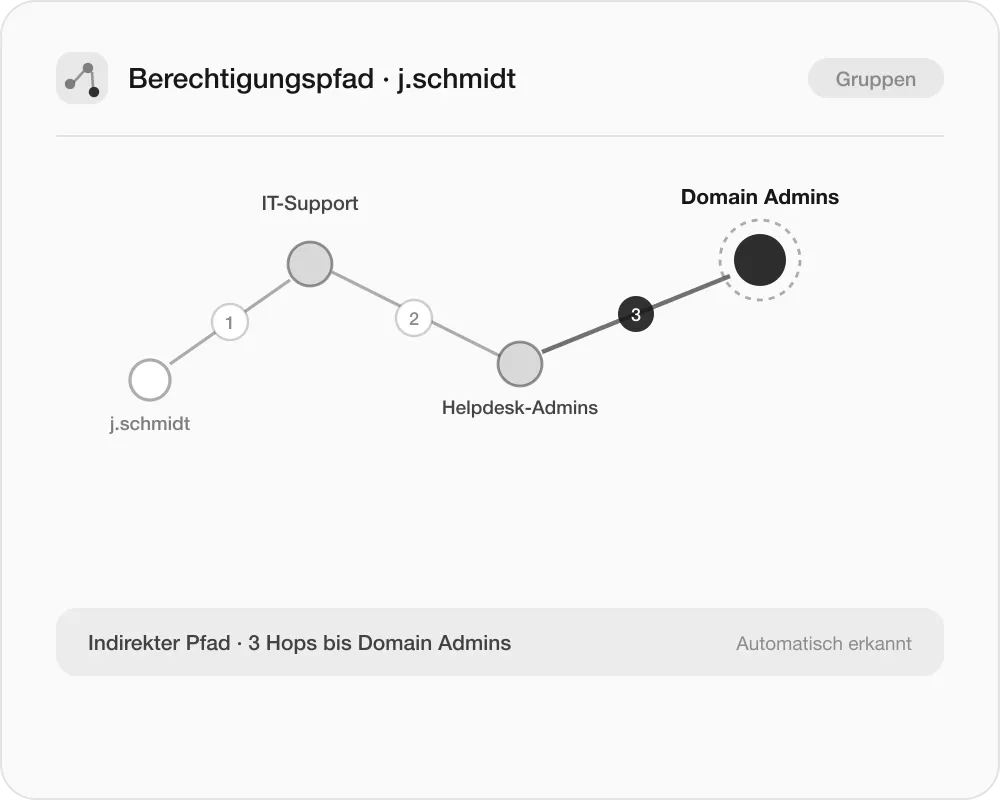
Contextualize relationships
Capture and assess findings faster in the context of accounts, groups, paths, and changes.
Accelerate investigations
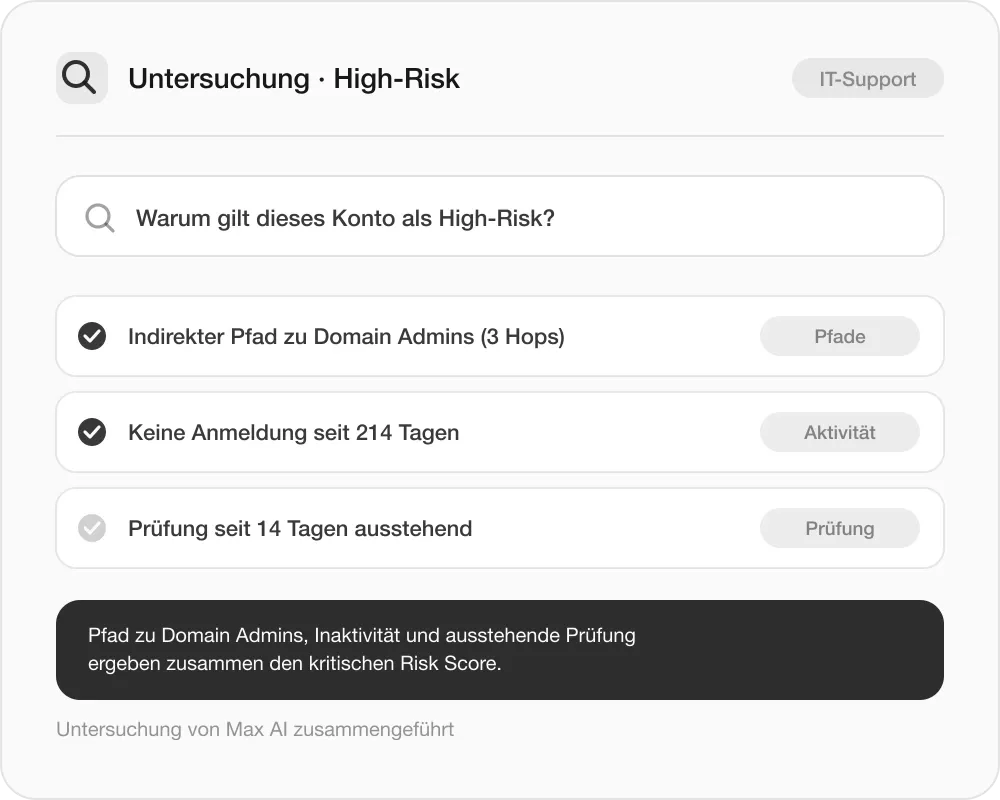
Accelerate investigations
Investigate complex questions in a targeted way based on the information available in MAX.
From point-in-time AD checks to continuous risk transparency
Both approaches show the current permission status — only one also explains how it came about and whether it recurs.
Point-in-time AD check
Individual reports and scripts
Group memberships without context
Only the current permission status
Manual follow-up review
Security with migRaven.MAX
Trace direct and indirect paths
Prioritize critical accounts and groups
Contextualize changes and activities
Continuously monitor and alert
Typical security tasks with MAX
Identify complex permission risks.
Make direct and indirect group memberships, cycles, privileged accounts, and critical access paths visible.Prioritize critical accounts and groups.
Assess high-risk groups and risk drivers and investigate particularly relevant structures first.Investigate changes and anomalies.
Consider historical permission states, AD changes, rule hits, and system events in context.Continuously monitor AD security.
Surface new changes and recurring risks early through monitoring and alerting.Frequently asked questions
to Security & Risk Management
Quick answers on analysis, prioritization, and monitoring. Anything still open will be clarified directly by ourteam– without detours.
Get in touch